Gothic Victorian UI
- Solo 2 month project built in Unreal Engine's UMG editor with the goal of designing a full RPG UI system
- Focused on building a heavily themed interface whilst maintaining readability and strong information hierarchy
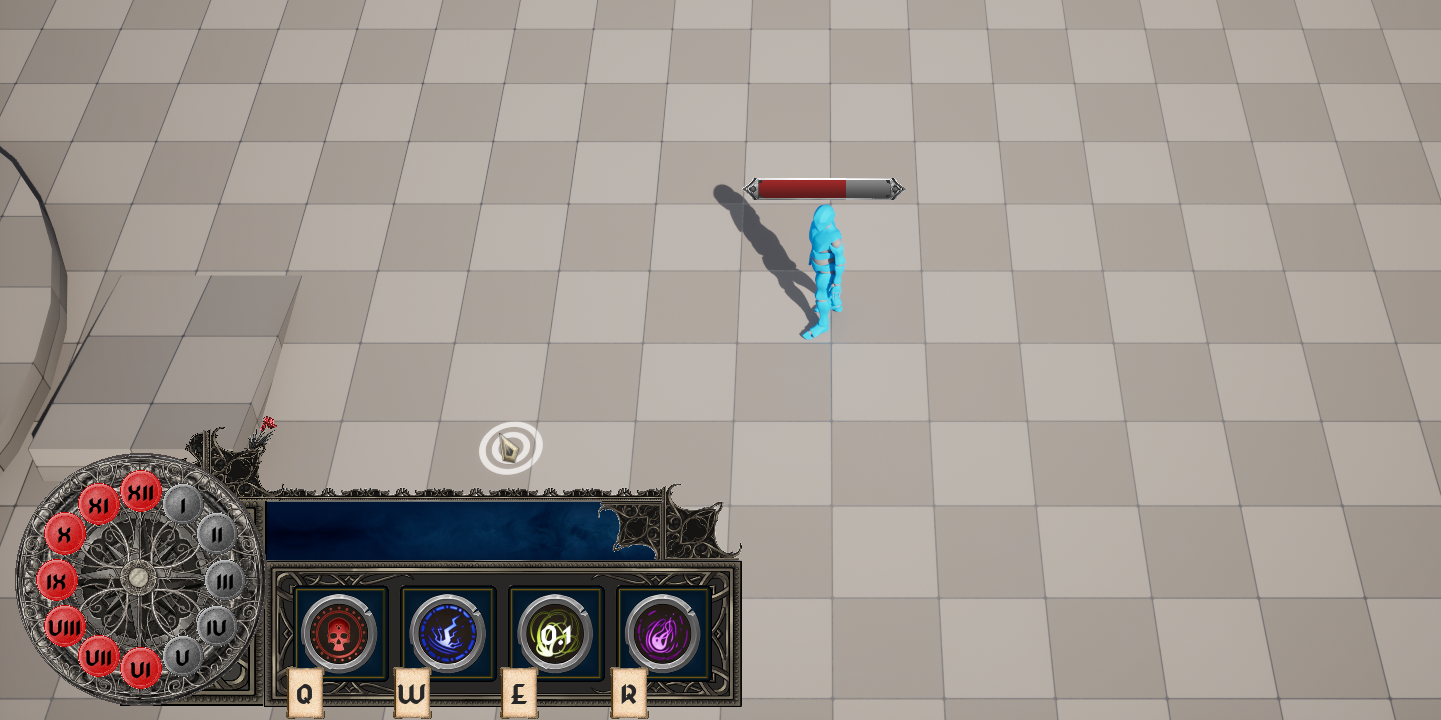
- Designed a segmented health bar styled as a vintage stopwatch, visually representing player health through clock divisions
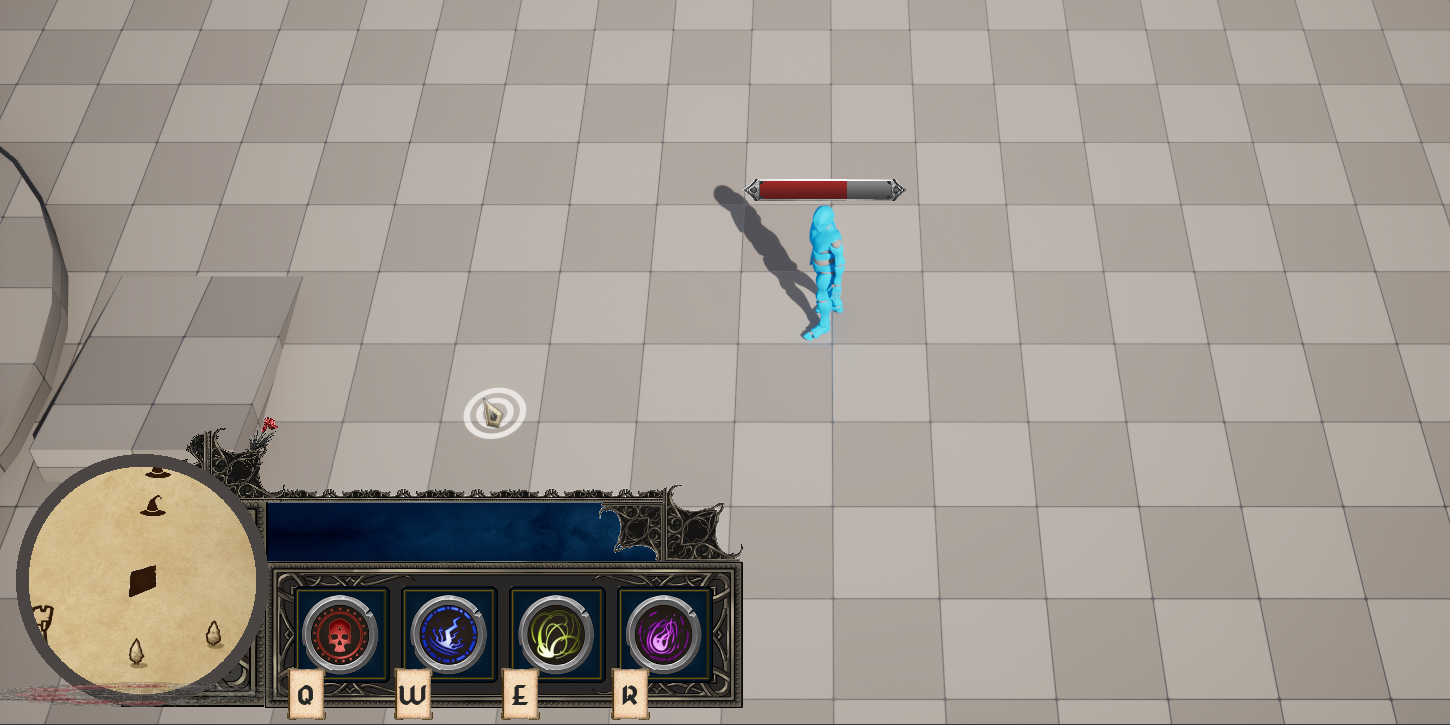
- Implemented a flip-open interaction where the stopwatch reveals a mini-map underneath, reinforcing theme through interaction
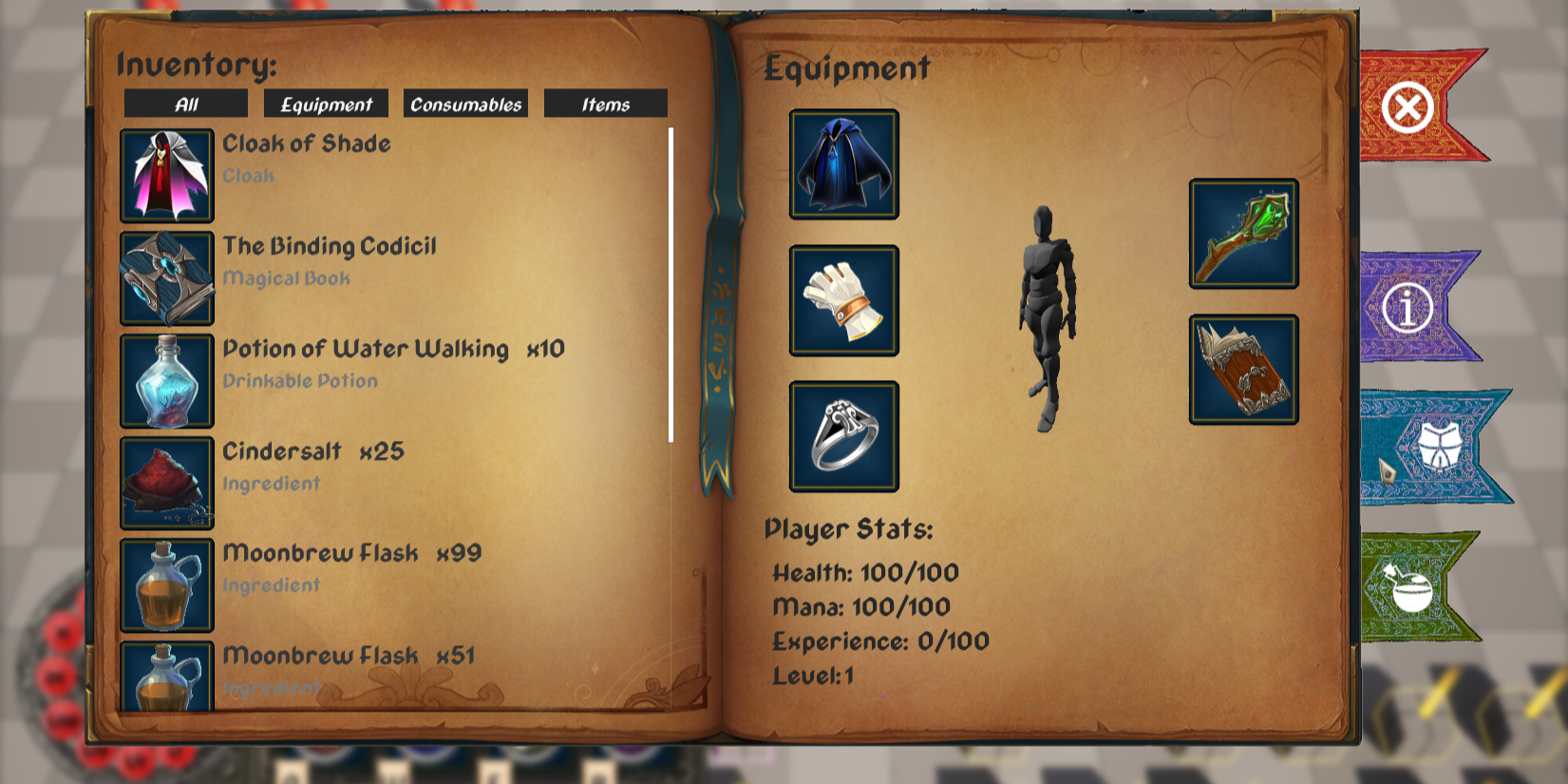
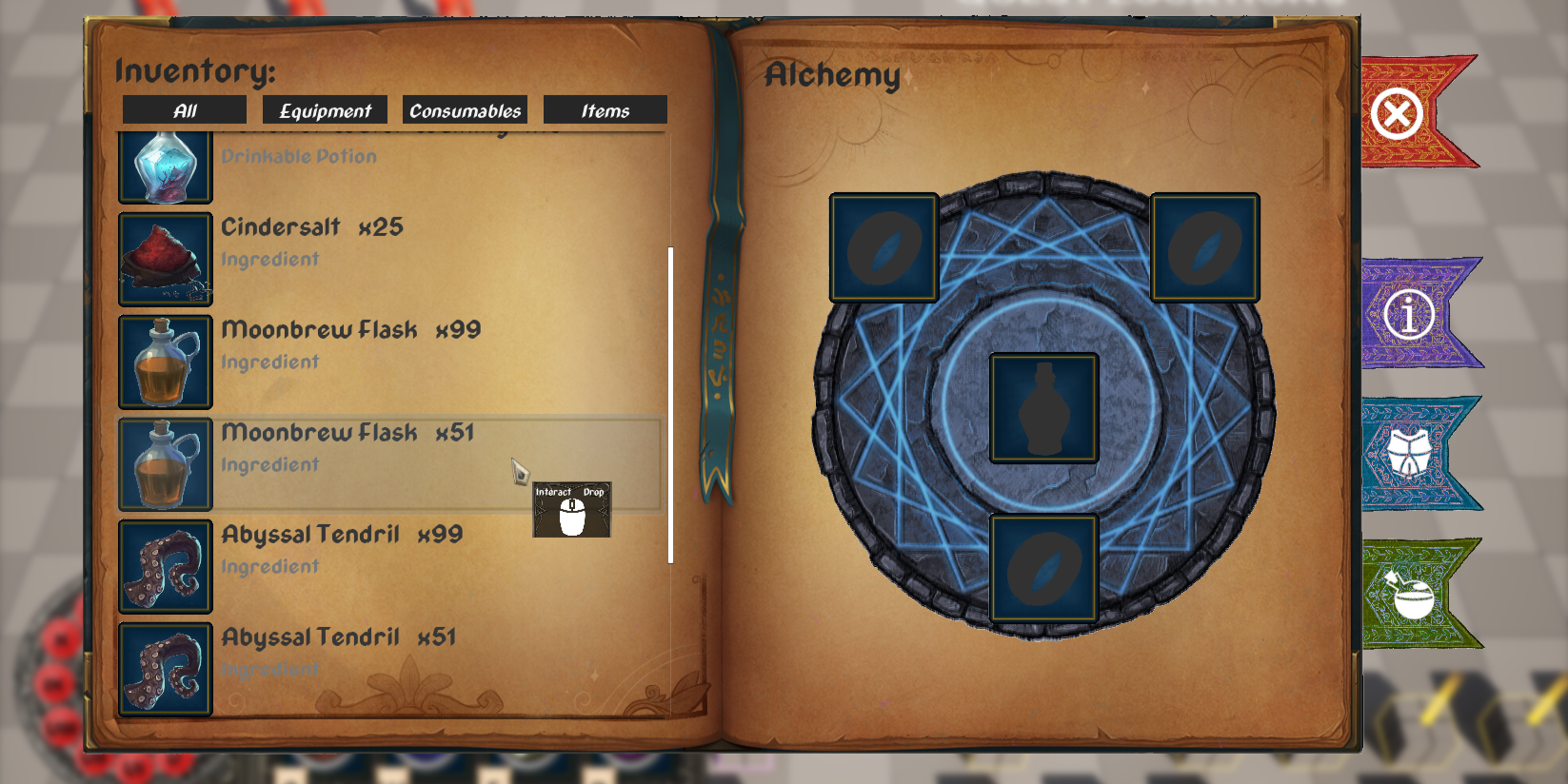
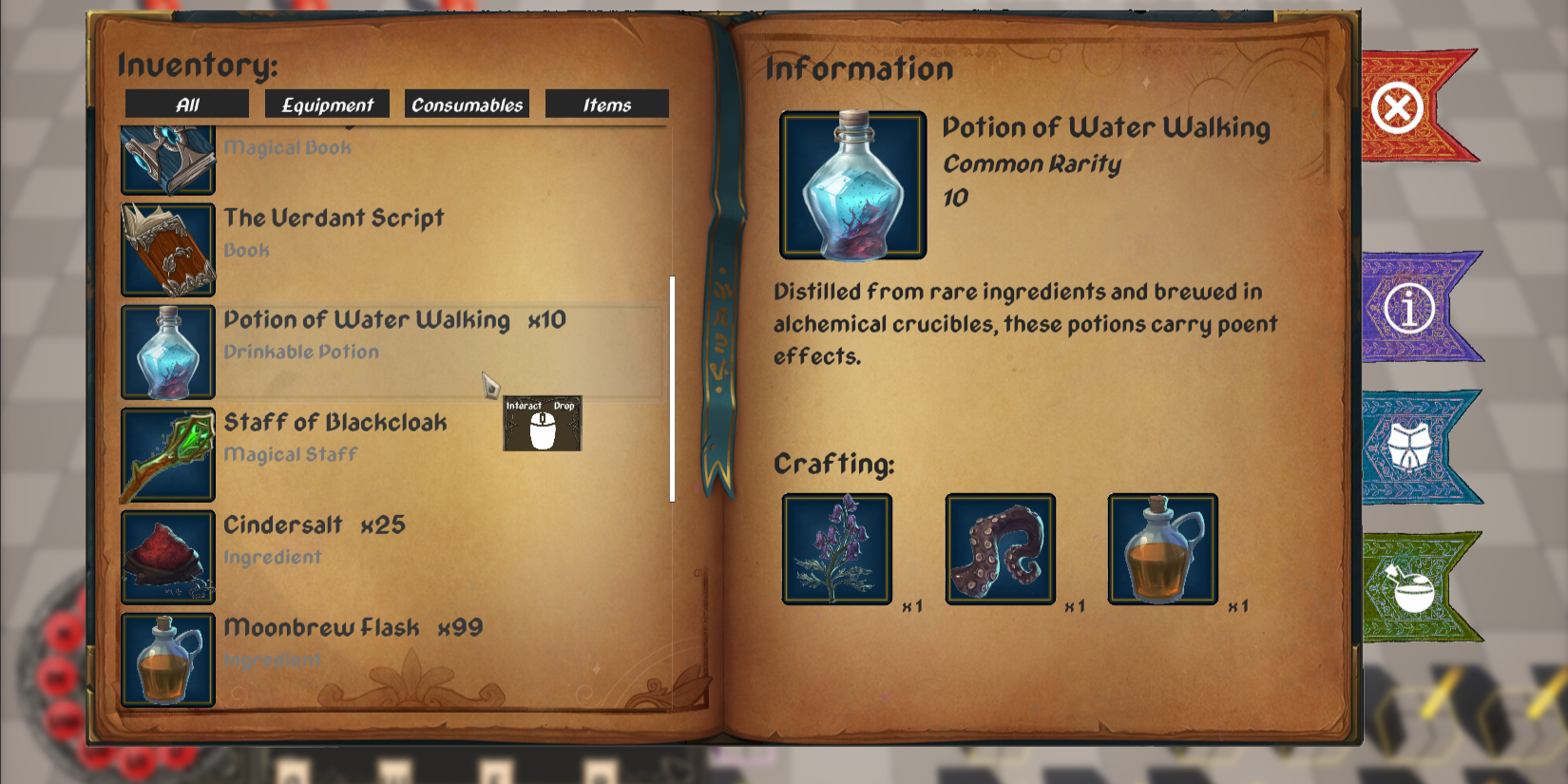
- Created a full notebook styled inventory where each page handled a different function: Inventory, Equipment, and Crafting; navigated via clickable tabs
- Designed a dynamic ability bar that updates based on player equipped gear, reinforcing the connection between systems and UI feedback.
- Maintained cohesive styling across tool tips, item pickups and smaller UI components
- This project taught me the importance of visual hierarchy, legibility under stylisations and designing UI systems that support gameplay
- Focused on building a heavily themed interface whilst maintaining readability and strong information hierarchy
- Designed a segmented health bar styled as a vintage stopwatch, visually representing player health through clock divisions
- Implemented a flip-open interaction where the stopwatch reveals a mini-map underneath, reinforcing theme through interaction
- Created a full notebook styled inventory where each page handled a different function: Inventory, Equipment, and Crafting; navigated via clickable tabs
- Designed a dynamic ability bar that updates based on player equipped gear, reinforcing the connection between systems and UI feedback.
- Maintained cohesive styling across tool tips, item pickups and smaller UI components
- This project taught me the importance of visual hierarchy, legibility under stylisations and designing UI systems that support gameplay
Catalyst
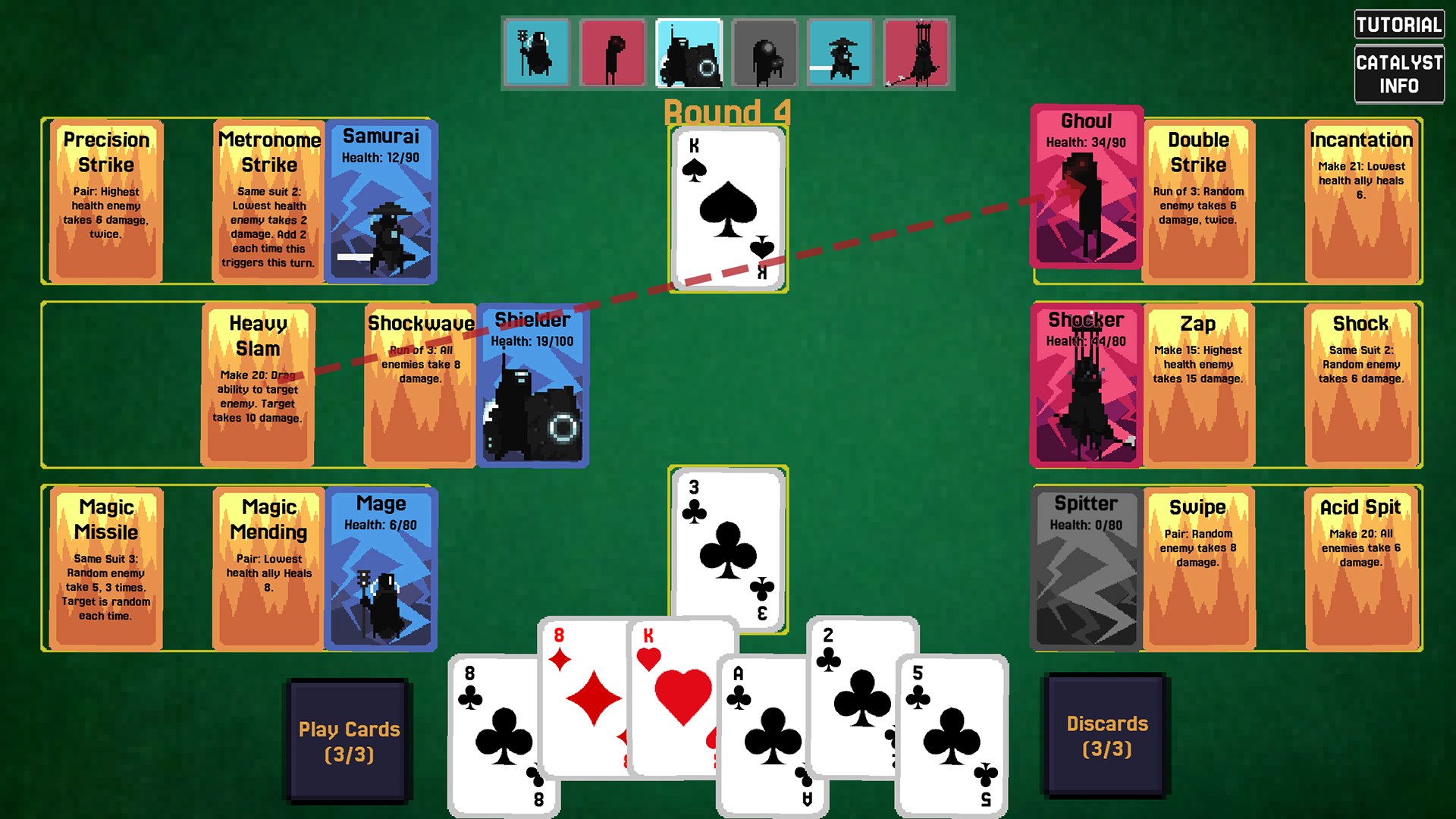
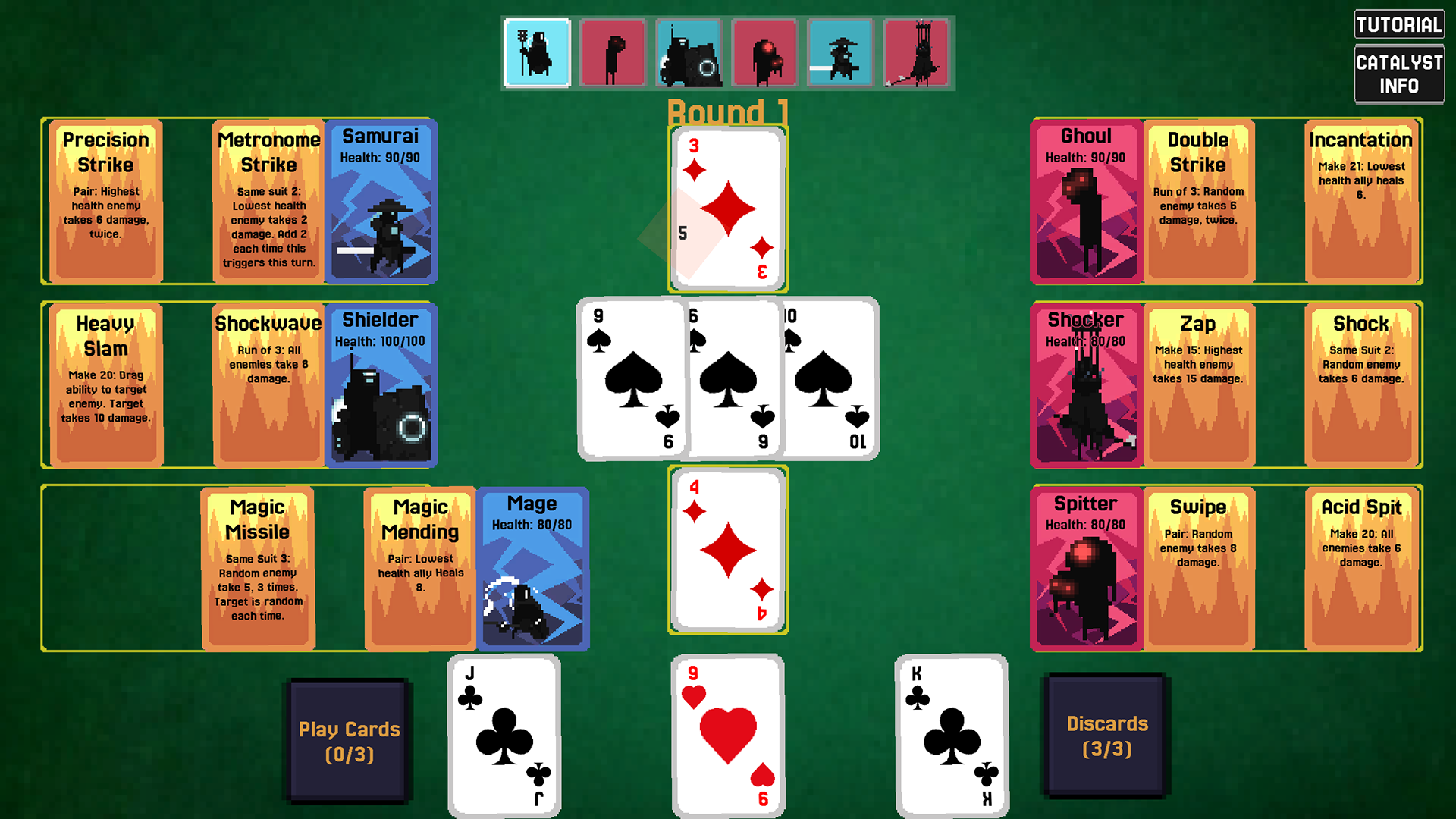
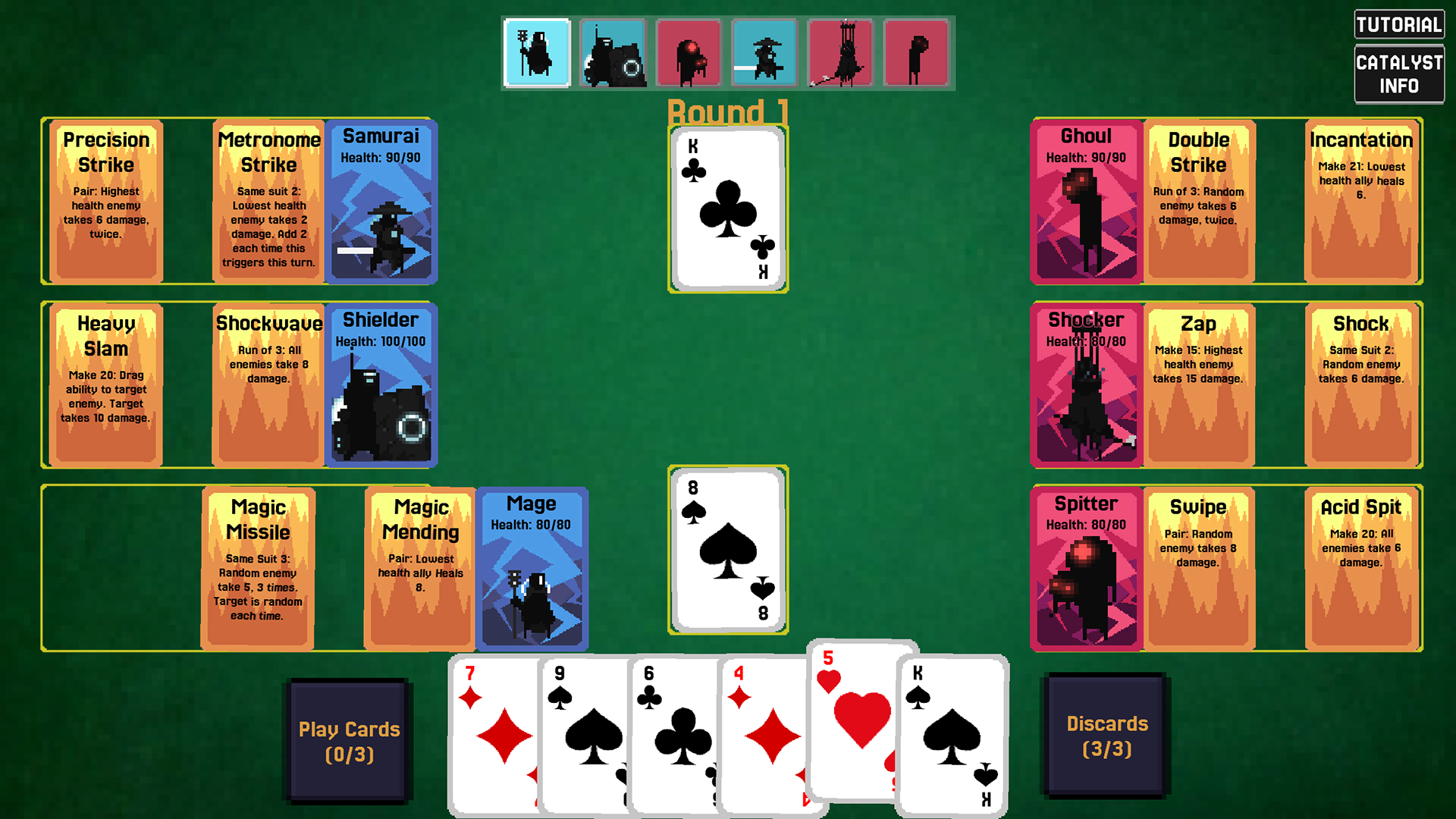
- Acted as the dedicated UI designer within an 8 person team building a competitive 3v3 turn based card battler
- Produced multiple HUD wireframes during pre-production, exploring layout variations before implementation to ensure clarity in a card game with high information
- Focused on spatial organisation of the player hand, battlefield units, turn indicators and discard systems to minimise cognitive overload
- Delivered structured wireframes to the tech team, improving my communication skills as I had to clearly justify my decisions
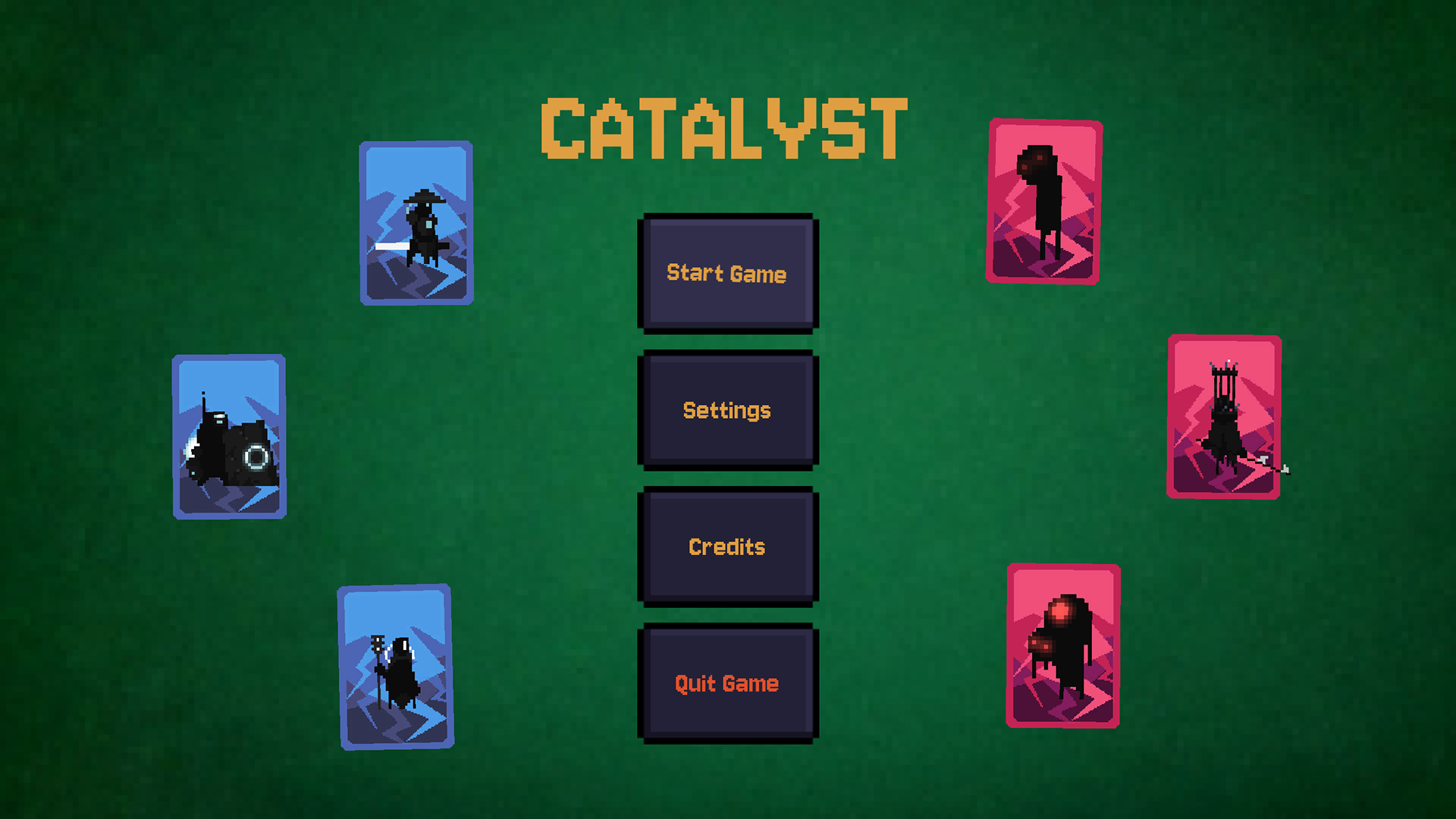
- Designed UI animations including Card transitions, Button states, Menu movement and Feedback effects to enhance clarity and responsiveness
- Learned to design within production constraints, respect pixel ratios, implementation limits and collaborative workflows
- Strengthened my understanding of UI as a communicative system within a team pipeline
- Produced multiple HUD wireframes during pre-production, exploring layout variations before implementation to ensure clarity in a card game with high information
- Focused on spatial organisation of the player hand, battlefield units, turn indicators and discard systems to minimise cognitive overload
- Delivered structured wireframes to the tech team, improving my communication skills as I had to clearly justify my decisions
- Designed UI animations including Card transitions, Button states, Menu movement and Feedback effects to enhance clarity and responsiveness
- Learned to design within production constraints, respect pixel ratios, implementation limits and collaborative workflows
- Strengthened my understanding of UI as a communicative system within a team pipeline
Itch.io Link: Catalyst-Link
Wireframe Designs
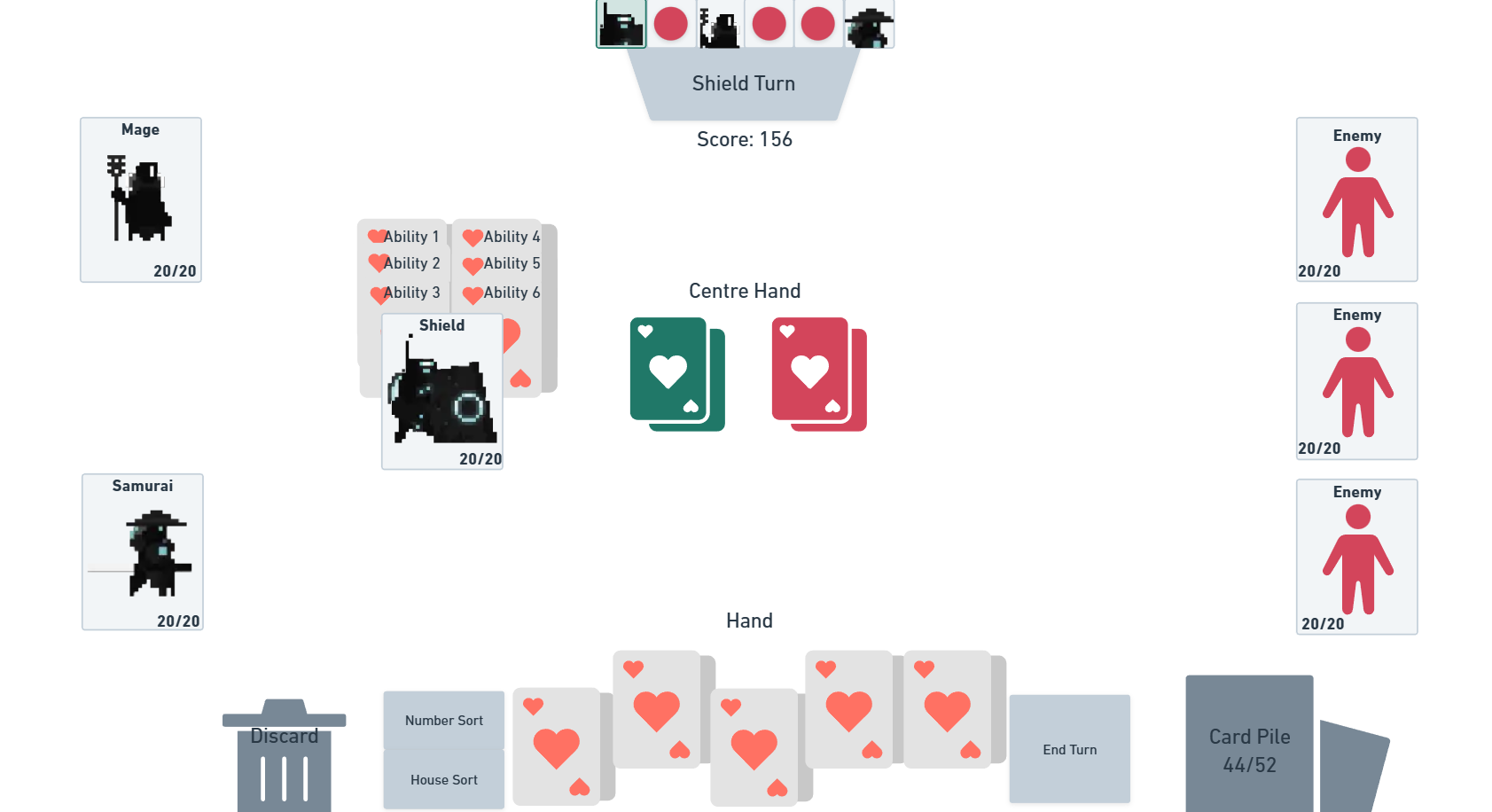
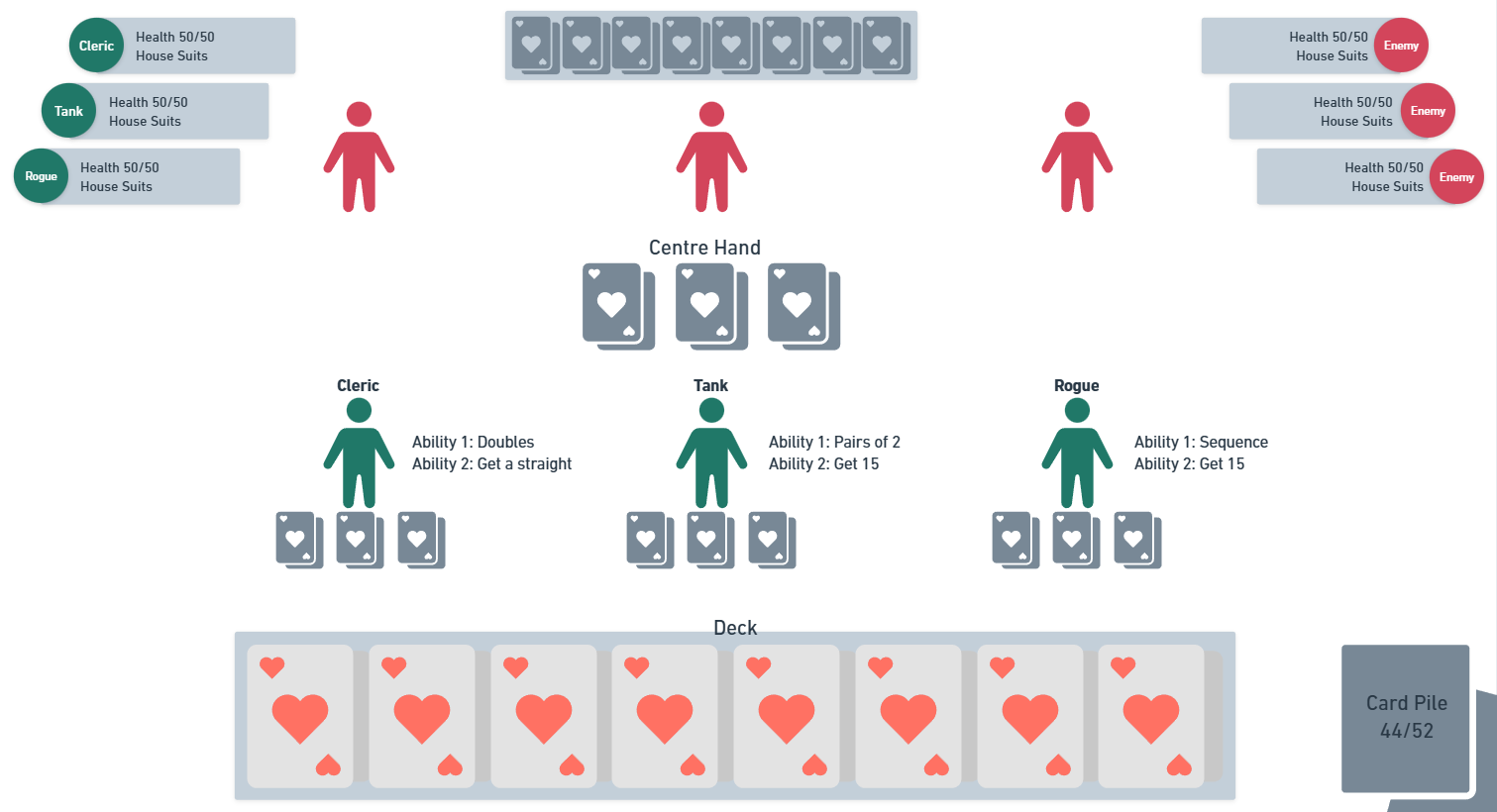
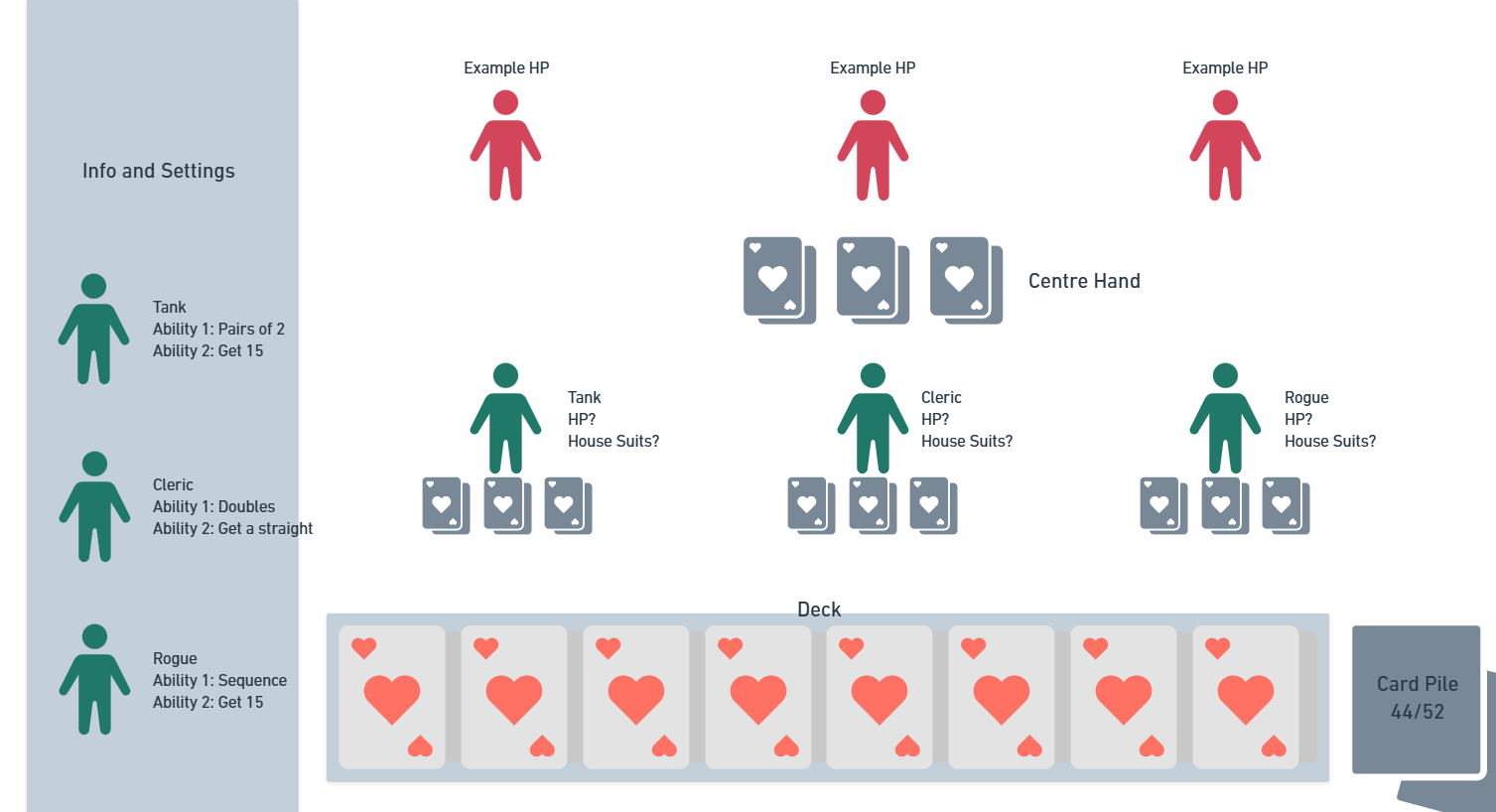
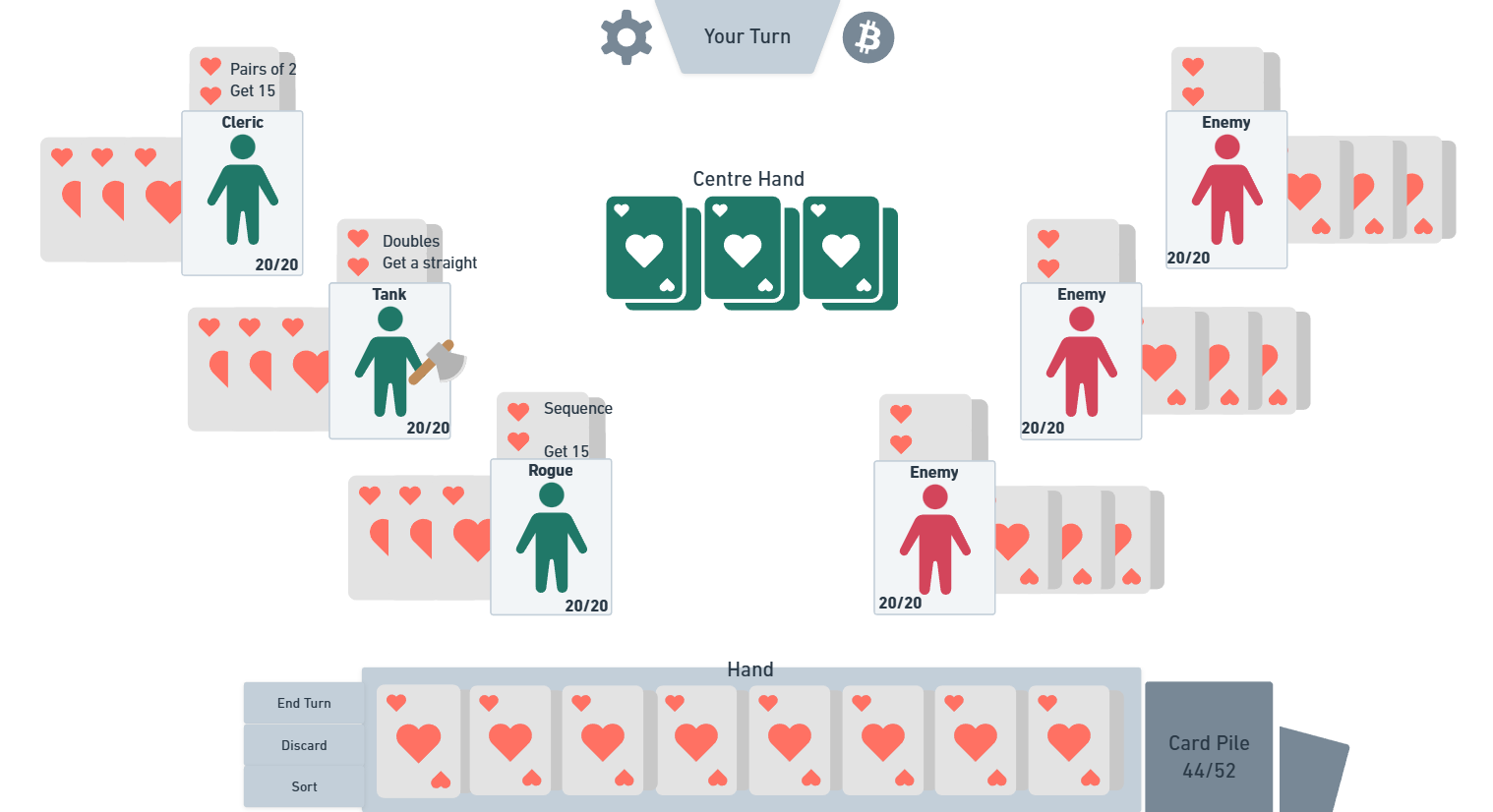
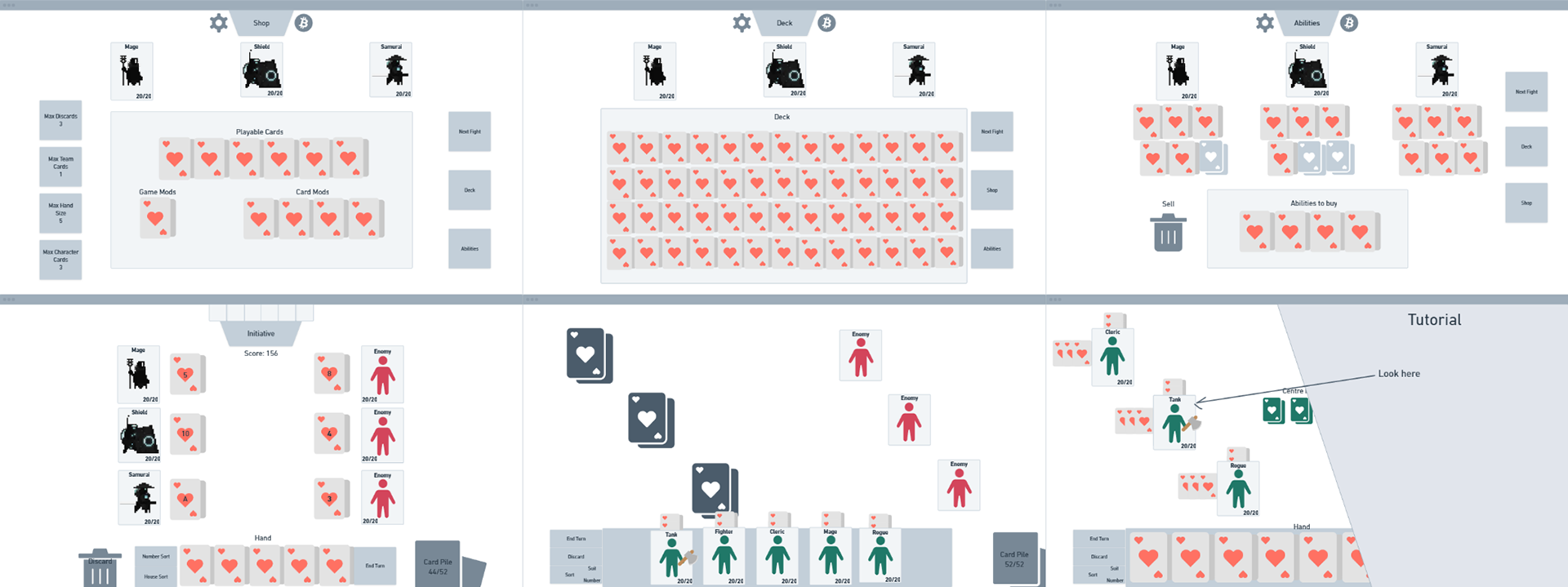
The next picture shows some of my other wireframes for the other aspects of the project including: Shop HUD with 3 different screens, Character selection, Tutorial Format. However, none of these made the final cut.
Companion Game
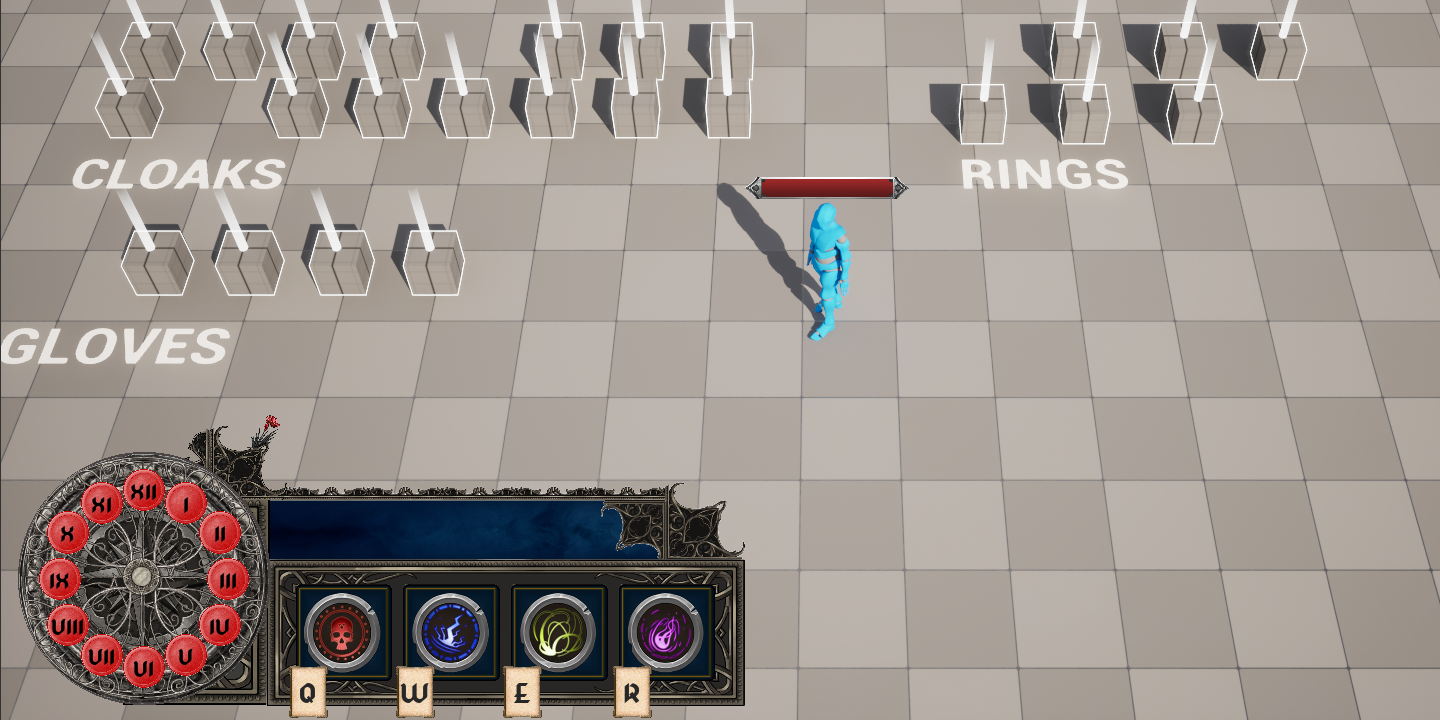
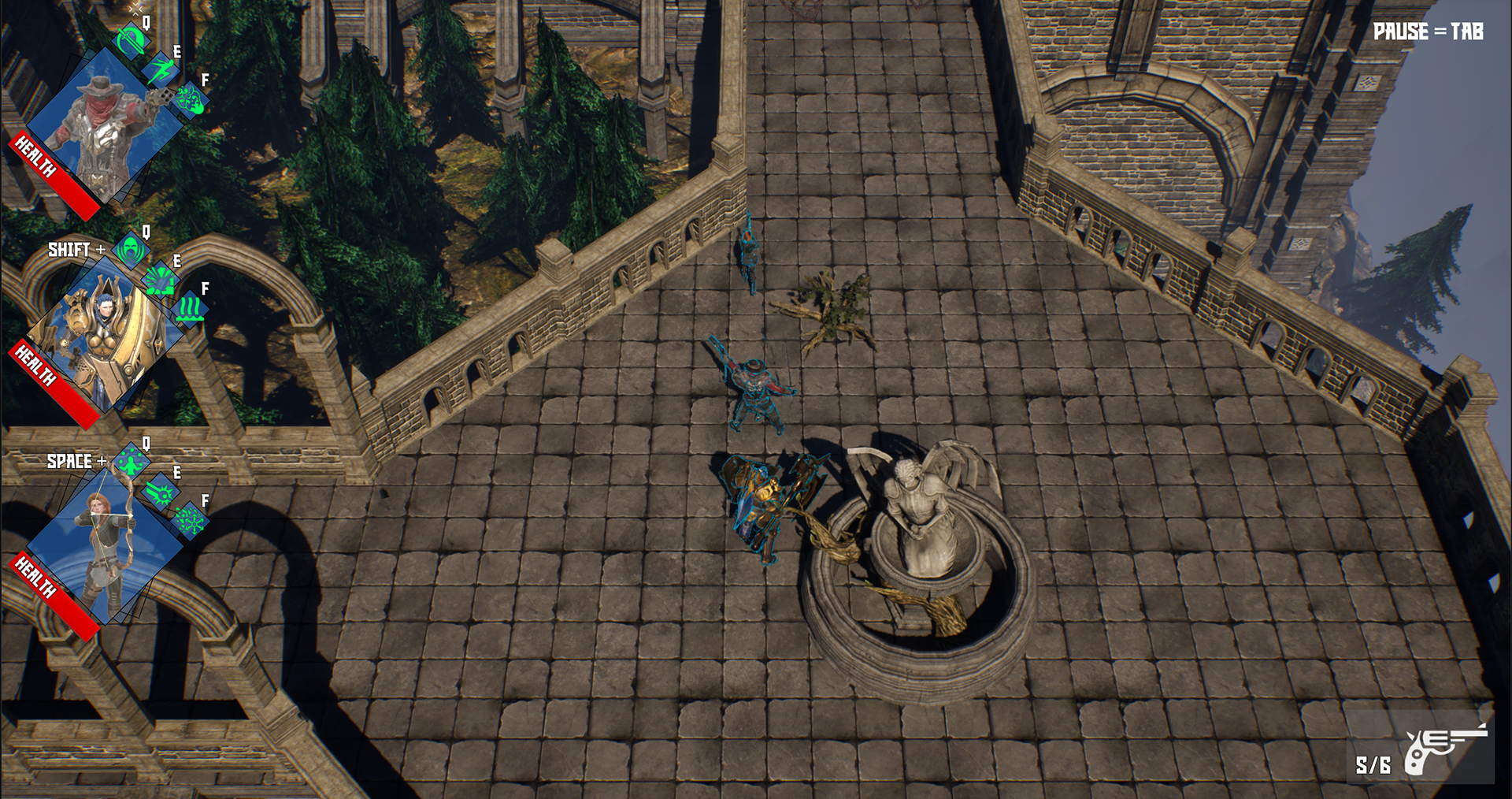
- Designed and implemented the full HUD for my top-down action shooter exploring companion design and AI: Companion Game
- The primary challenge was communicating information of multiple companion abilities, cooldowns and commination mechanics during fast paced combat
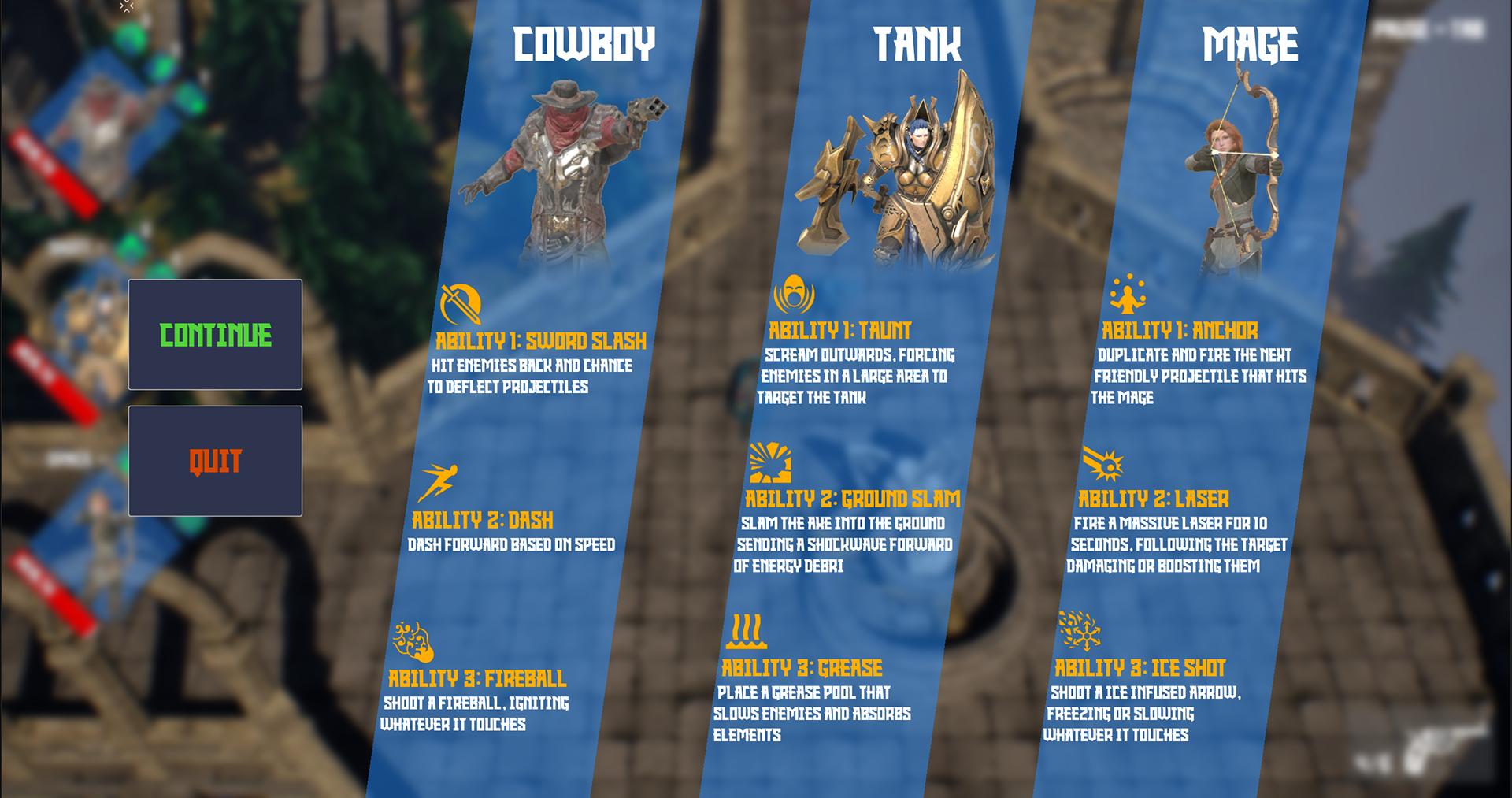
- Designed ability indicators, cooldown feedback and activation prompts that clearly communicated controls and abilities across the three characters
- Structured UI layout around combat readability ensuring that Health, Ability states, and Team information could be processed quickly without removing the player from the active combat loop
- Focused heavily on minimising screen clutter while still providing essential gameplay information (primarily about companions) to the player
- Heavily iterated UI placement based on playtesting to reduce eye travel distance between the character and UI information. Initially, companion ability information would appear around the character and follow them through combat and when the player would "focus" on them. The UI initially was placed at the bottom of the HUD instead of top left
- This project challenged me to create UI for a fast active game rather than a framework or turn based game as I had done previously. I had to ensure information was highly readable under pressure and allow fast decision making
- The primary challenge was communicating information of multiple companion abilities, cooldowns and commination mechanics during fast paced combat
- Designed ability indicators, cooldown feedback and activation prompts that clearly communicated controls and abilities across the three characters
- Structured UI layout around combat readability ensuring that Health, Ability states, and Team information could be processed quickly without removing the player from the active combat loop
- Focused heavily on minimising screen clutter while still providing essential gameplay information (primarily about companions) to the player
- Heavily iterated UI placement based on playtesting to reduce eye travel distance between the character and UI information. Initially, companion ability information would appear around the character and follow them through combat and when the player would "focus" on them. The UI initially was placed at the bottom of the HUD instead of top left
- This project challenged me to create UI for a fast active game rather than a framework or turn based game as I had done previously. I had to ensure information was highly readable under pressure and allow fast decision making
Slimes Wireframes
- Created wireframes whilst implementing the Main Menu UI for my turn-based artillery game: Slimes
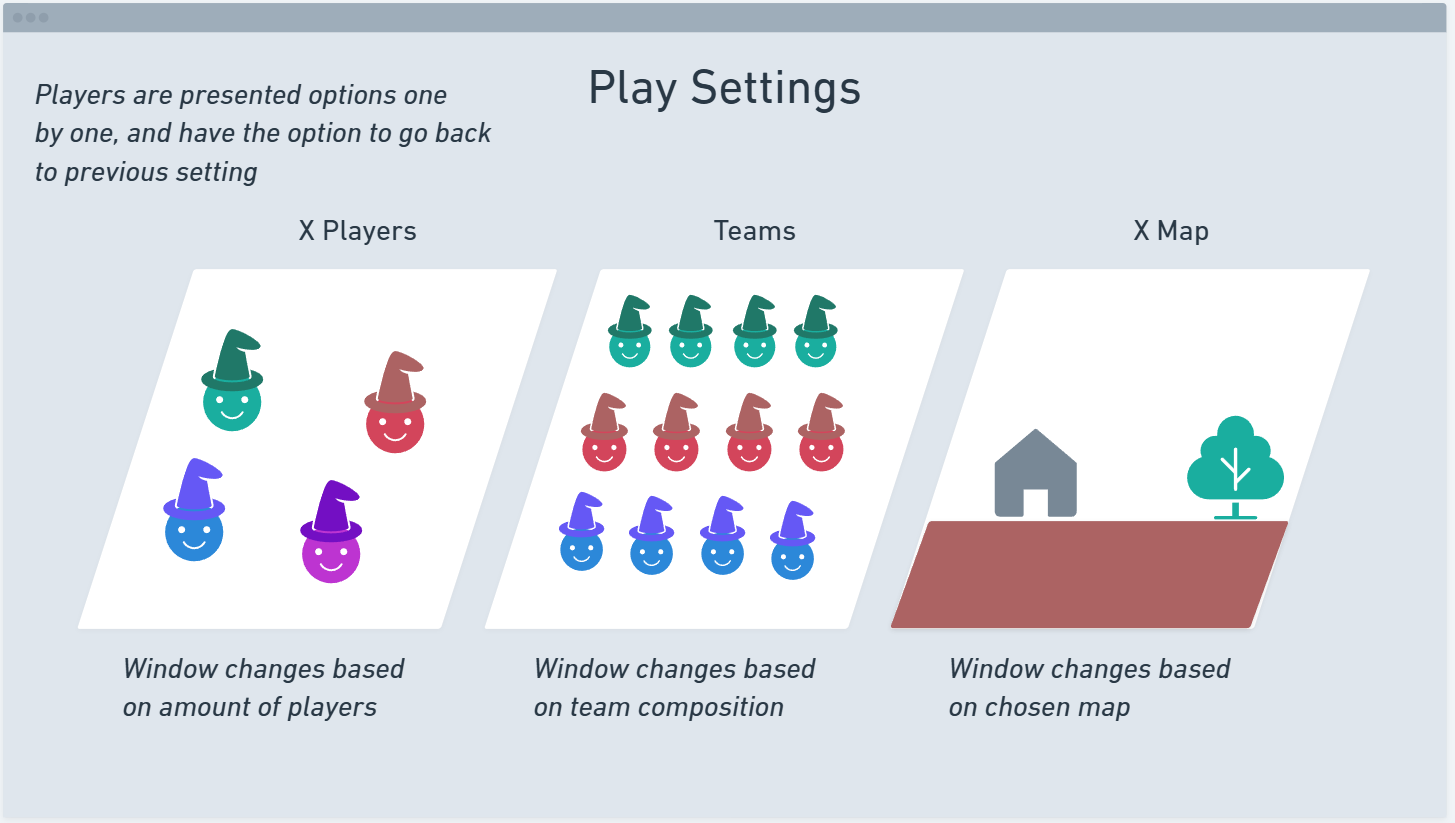
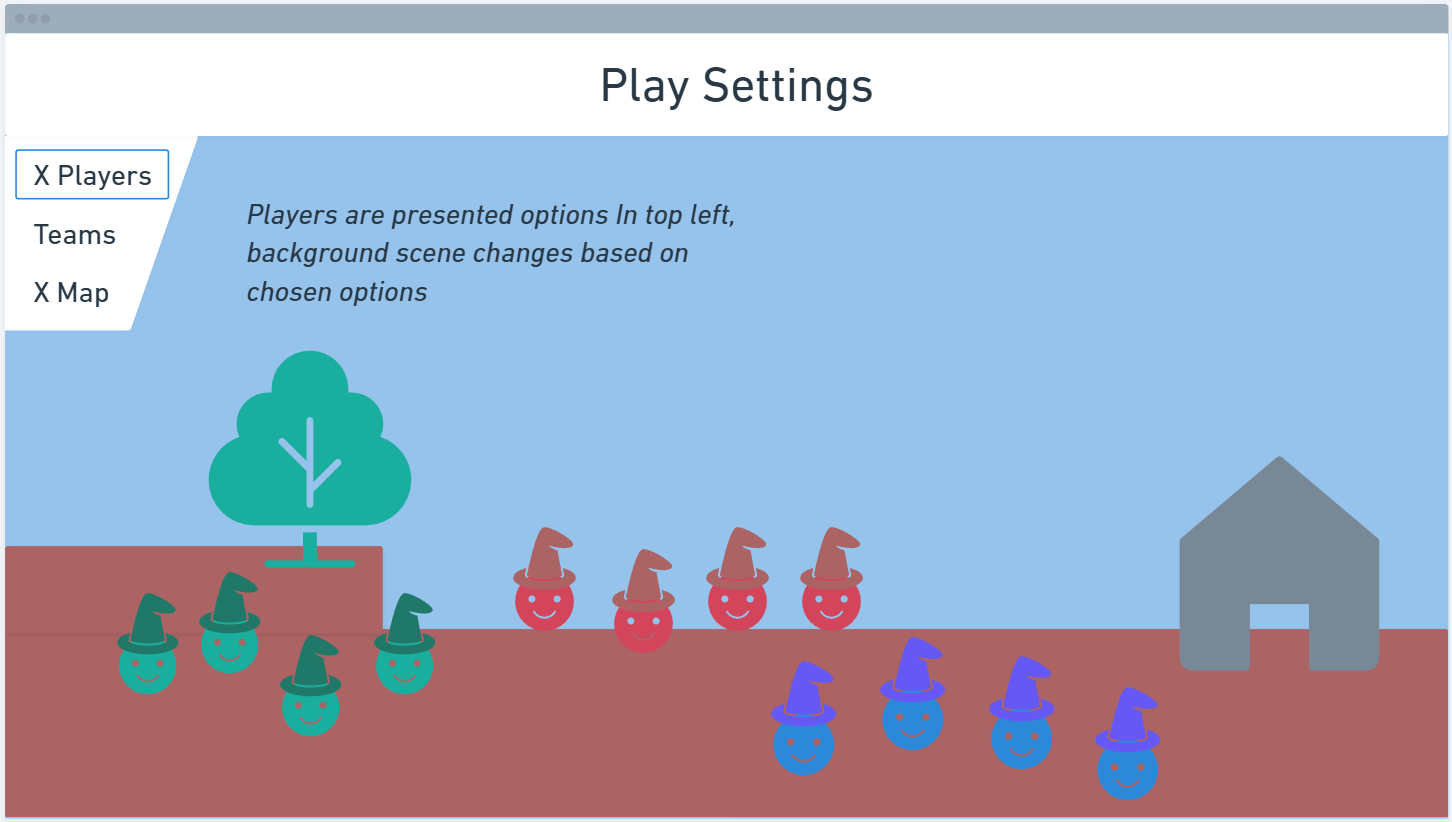
- The following images showcase my two primary designs for the main menu
- The first design presents the options to the player with small windows showcasing a static image to represent their settings
- The second design presents a large real-time background scene that updates based on the player's chosen settings, this would also feature the camera moving to a close up of the individual team when the player wants to customise their team composition
- The following images showcase my two primary designs for the main menu
- The first design presents the options to the player with small windows showcasing a static image to represent their settings
- The second design presents a large real-time background scene that updates based on the player's chosen settings, this would also feature the camera moving to a close up of the individual team when the player wants to customise their team composition